UV Lamp Replacement

Before Servicing
Disconnect power before proceeding.
Wear proper eye and skin protection for servicing and cleaning glass components.
AVOID TOUCHING THE UV LAMP GLASS WITH YOUR BARE HANDS. Oils on your hands can cause hot spots on the UV lamp and shorten its life. Use a soft clean cotton cloth or clean cotton gloves to handle the UV lamp.
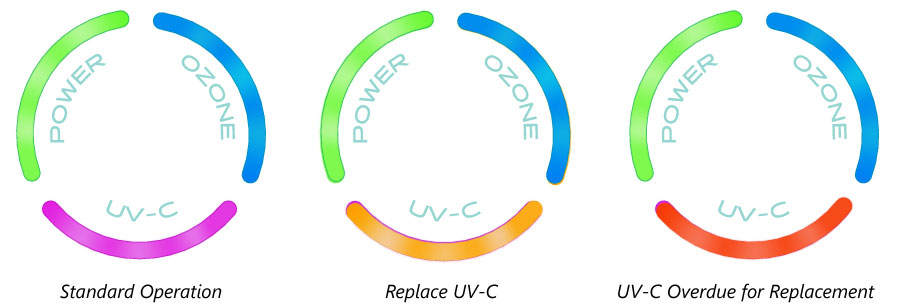
When to Replace UV Lamp
- The life expectancy of a UV lamp is about 16,000 hours. It is recommended to replace all UV lamps at the same time. (There are 2 lamps in each Del AOP unit.)
- The Smart Status LED for UV-C will change from purple to yellow when it is time to replace the lamps.
- The Smart Status LED for UV-C will change from purple to blinking red when replacement is overdue. View the Smart Status Indicator Table here.
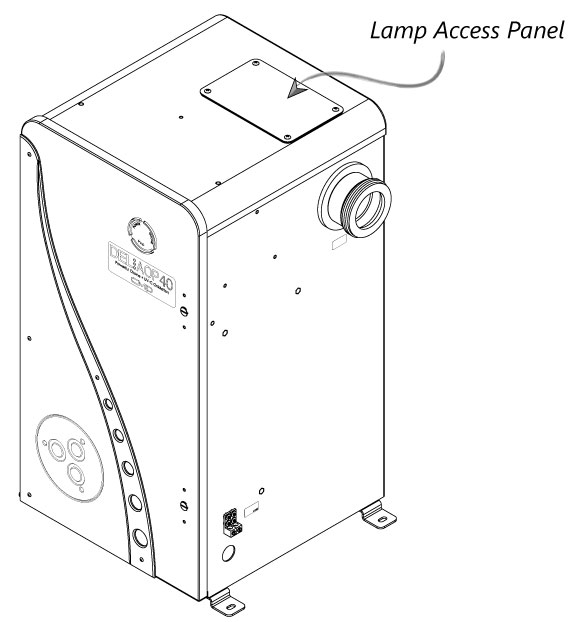
Removing the UV Lamp Access Panel
The UV lamps are each housed in a quartz tube that protects the lamp.
- Shut off power at the breaker.
- Locate the UV lamp access Panel on the top of the DEL AOP, remove the 4 screws with a Phillips head screwdriver, and remove the panel.
- Allow adequate time for the lamps to cool. Do NOT touch UV lamps with bare hands. Use a soft clean cotton cloth or clean cotton gloves to handle the UV lamp.
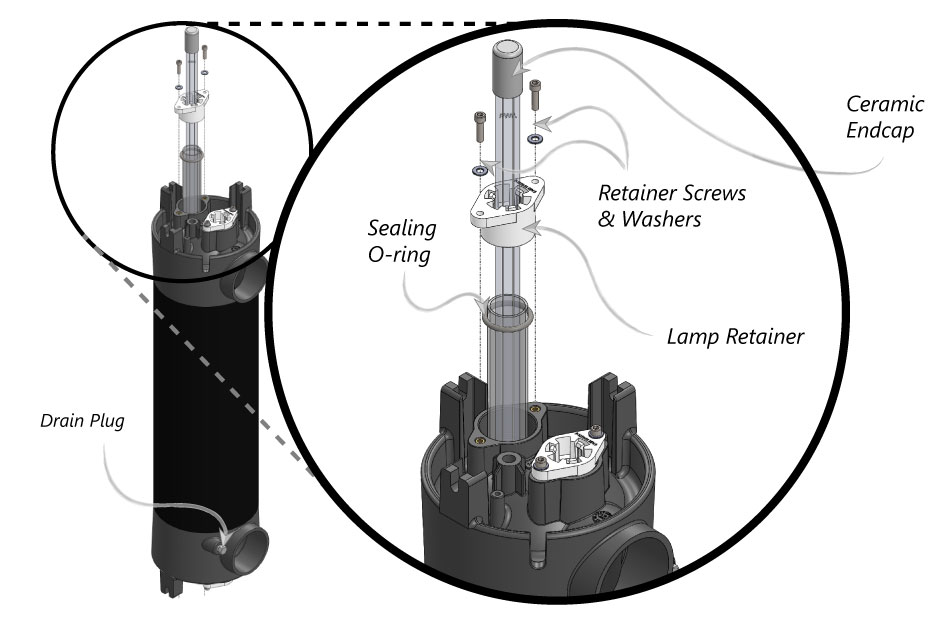
Removing the UV Lamp
- Disconnect the lamp connectors from ballast wire connector.
- Grasp the UV lamp wires and gently pull until the top of the UV lamp has pulled past the lamp retainer tabs.
- While holding the UV lamp white ceramic cap, slowly pull the UV lamp until the bottom has pulled past the lamp retainer tabs. (Twisting the lamp may help facilitate removal.)
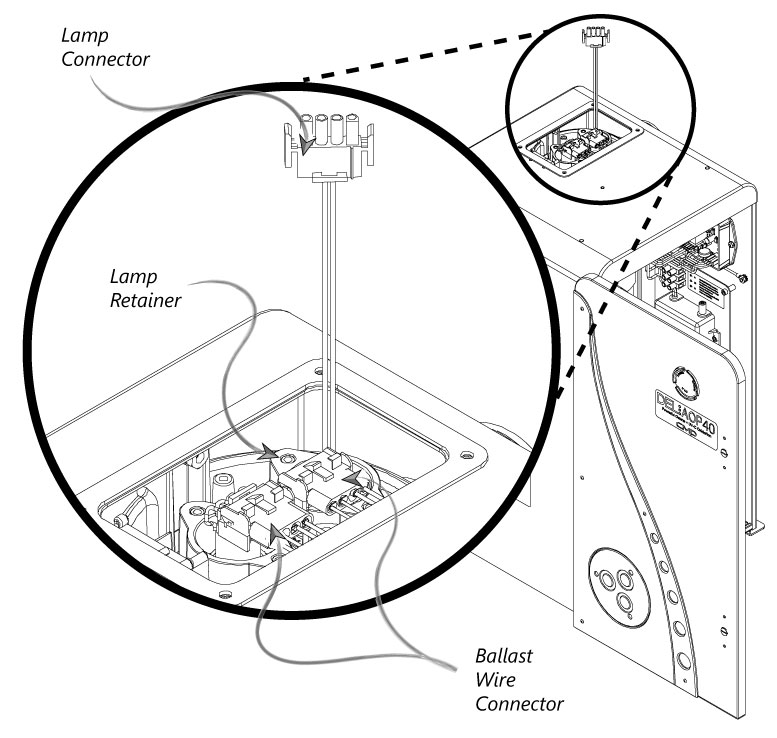
Reinstalling the UV Lamp
Remember, do NOT touch glass, as oils on your hands will damage the bulb.
- Confirm power is OFF at the breaker.
- By holding the UV lamp white ceramic cap, slowly press the UV lamp fully past the lamp retainer tabs and into the quartz tube until it is seated on the lamp cushion in the bottom of the tube.
- Connect the lamp connector to the connector on the ballast.
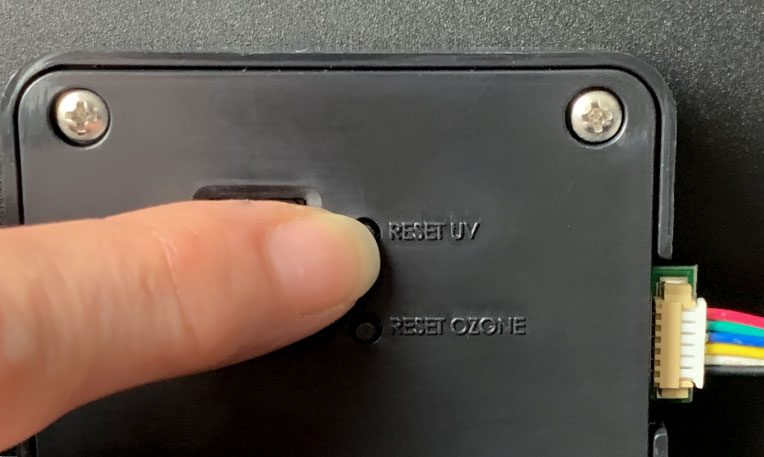
Resetting the UV Lamp Indicator
- Install UV lamp access panel on the top of the DEL AOP, using the 4 screws previously removed with a Phillips head screwdriver.
- Turn power ON at the breaker.
- Reset UV indicator by pressing button on the inside door behind the Smart Status indicators.

Congratulations!
You have completed this chapter. To go to the next chapter, click next. To go back to the Chapter Table of Contents, click done.