First Time Start-Up
Select Style

Note if the LED Light is J-Style, H-Style or P-Style. There are different color selections and sequence orders for each option. When syncing multiple LED light products, color shows will match but cycle timings may vary.
H-Style Lights
P-Style Lights
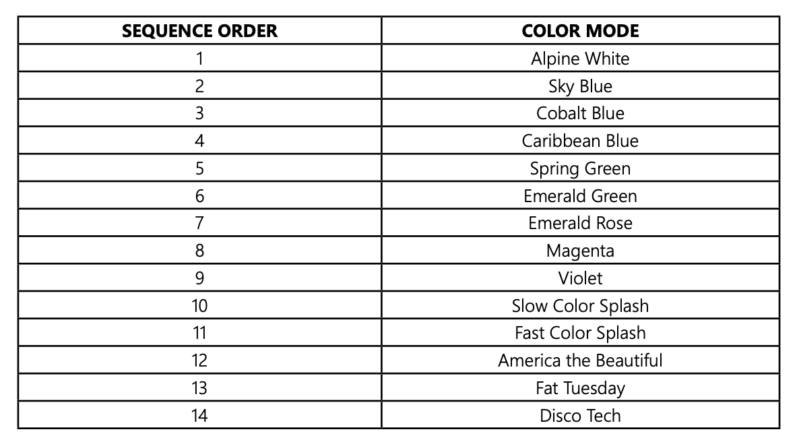
Operating the J-Style Lights
Turn the light ON.
The first time the light is turned on, the color sequence will begin with Alpine White. To change color, turn light OFF then back ON within three (3) seconds.
Continue turning OFF and ON until the desired light color mode is reached.
When the light is turned off for more than seven (7) seconds, it will remain in the color mode that was currently active when the light was turned off.
To RESET the light to the beginning color sequence (Alpine White), turn the light OFF, wait four (4) to six (6) seconds, then turn the light ON.
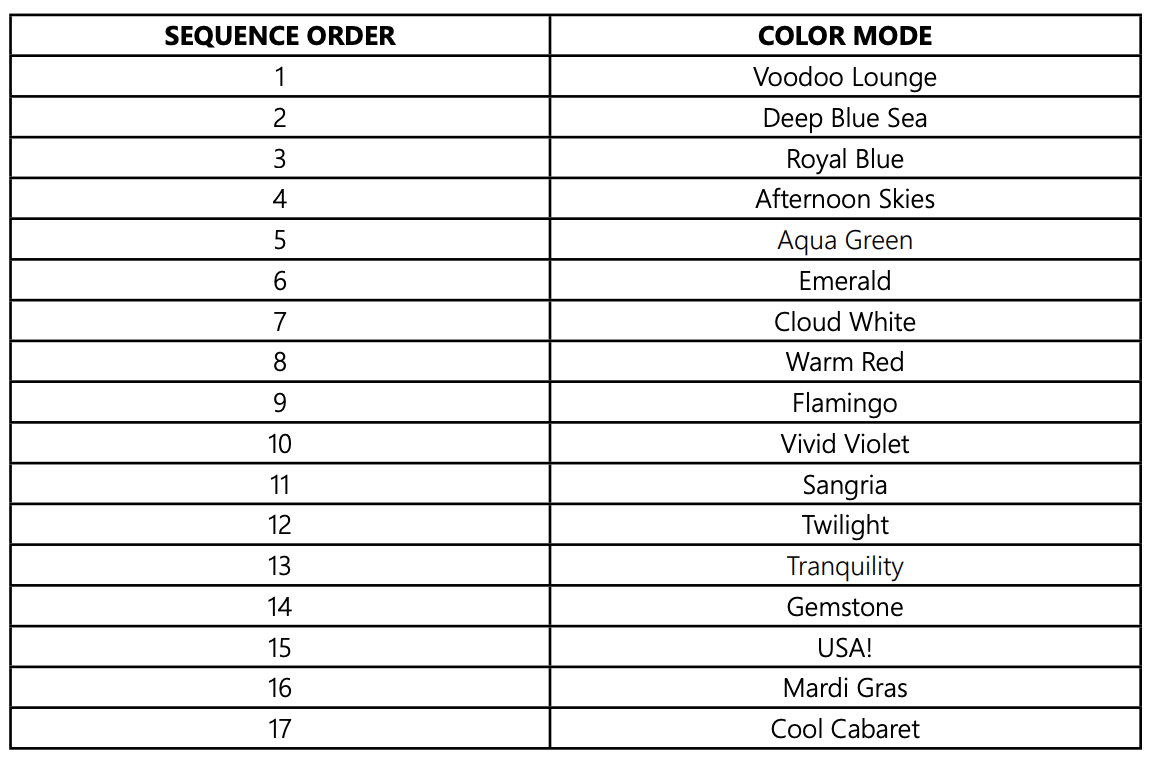
Operating the H-Style Lights
To activate the light simply turn the power switch ON.
To advance to the next programmed light mode, turn the switch OFF then back ON within ten (10) seconds.
Whenever the light has been off for more than sixty (60) seconds, and it is first turned on, it will come on white for 15 seconds, then go back to the last programmed light mode it was running before being powered off.
Syncing the H-Style Lights
All H-Style lights should be wired to the same switch, this should automatically sync the lights.
If the lights get out of sync on the same switch: turn the switch OFF, then wait between eleven (11) and fourteen (14) seconds and turn the switch back ON.
When the lights come back on, they should enter program mode number one (1) and be synchronized.
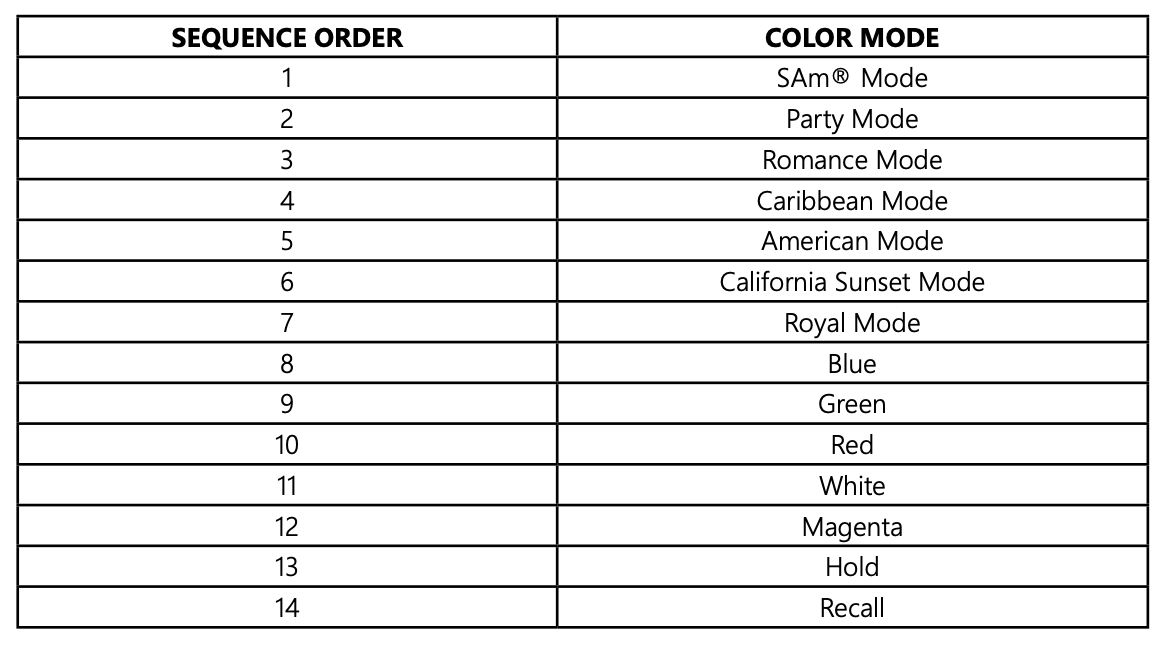
Operating the P-Style Lights
The P-STYLE Lights can be controlled by cycling the AC power using a standard wall-mount light switch.
Turn the light switch ON and OFF based on the sequence order of the color mode you wish to see. Ex. If you want the “Sunset Mode”, turn the light switch ON and OFF six (6) times.
During the ON/OFF switching process, no illumination will occur, then a white light will momentarily illuminate.
The white light will immediately be followed by the selected mode.
Syncing
Multiple lights can be connected via a junction box to a single switch so that all lights can be switched ON and OFF together.
Using the Hold Feature
Use the “Hold” feature to capture a unique color effect while “Romance Mode” is active.
Turn switch on and off thirteen (13) times.
Saved color effect is displayed.
Using the Recall Feature
From any light show or fixed color mode:
Turn switch ON and OFF fourteen (14) times to activate last saved color effect.
Saved color effect is displayed.

Congratulations!
You have completed this chapter. To go to the next chapter, click next. To go back to the Chapter Table of Contents, click done.