Back

Frequently Asked Questions

If the lens is difficult to install or remove, try the following:

  1. Apply O-Ring lubricant to the top of the L-Shaped gasket under the large lens.
  2. Make sure the L-Gasket is properly aligned and seated in the groove.


If the light is difficult to install or remove, try the following:

  1. To install, push the module down with force to seal the bottom O-Rings in the electrical conduit socket. Use the Installation Tool, a 3/8″ socket wrench, and a 3/8″ socket extender to help turn the Light Module clockwise until it reaches the locked position.
  2. To remove, use the Installation Tool, a 3/8″ socket wrench, and a 3/8″ socket extender to turn the Light Module counterclockwise. Ramps in the Center Wheel will help un-seal the O-Rings from the conduit socket as it rotates.

Check the following if the LED Light Module flashes and then goes dark:

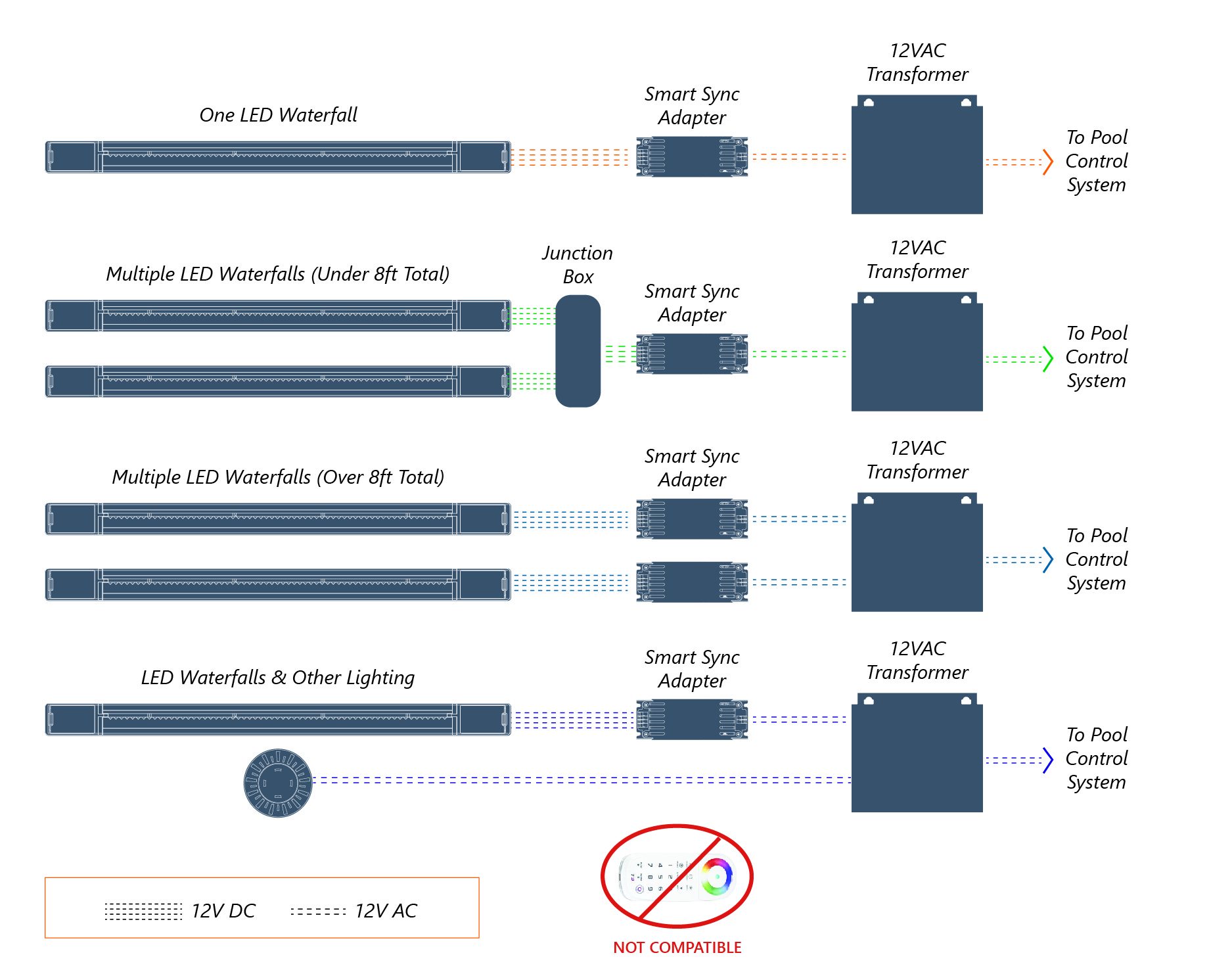
  1. Make sure you are using a 12VAC transformer not 120V directly from a power outlet.
  2. Make sure you are using a 12VAC transformer (not sold by CMP) and not the CMP 12V DC Power Supply (25650-110-200).

If you’re having trouble pulling the light module out, try the following:

  1. Not enough slack was left in the line. Provide slack on the power cable by coiling some extra wire on the control box side of the installation.
  2. Have another person help by pushing the electric cable from the control box side of the installation.

If you’re hearing swirling or sloshing noises while the bubbler is running, try the following:

  1. The 4″ Bubbler was installed too close to a wall or other feature in the pool which causes a harmonic wave to occur in the water.
    1. Angle the eyeball differently to change the water harmonics.
  2. Try changing your GPM flow rate using a flow control valve.

The Brilliant Wonders® LED Bubbler is available to order with Smart Sync programming to sync with controls from Zodiac International (J-Style), Hayward Industries (H-Style) and Pentair Pool and Water Products (P-Style). Simply order the correct style for your pool controls and it just works. To order the correct style, the part number is just appended with the letter style (J, H or P).

For more info check out the smart sync quick reference.